Network Latency Calculator — fiber distance, ping and transfer time
A network latency calculator estimates the physical best-case round-trip time between two cities by combining great-circle distance, a route factor for real fiber paths, and the speed of light in glass fiber, then adds a transfer-time tool that turns a file size and bandwidth into a download time.
Fiber latency estimator
Light in optical fiber travels at roughly two-thirds of its speed in a vacuum, and cables never run in a straight line. Adjust the route factor to see how detours add delay.
- Great-circle distance
- 3,910 km
- Estimated cable length
- 5,279 km
- One-way in fiber
- 25.9 ms
- Round trip in a vacuum
- 26.1 ms
Real-world ping from Mumbai to Singapore is usually higher than this once routing, backhaul and congestion are added.
File transfer time calculator
Combine a file size, a connection’s bandwidth and the round-trip time above to estimate how long a download or upload will take.
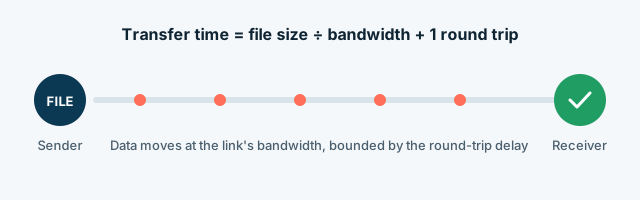
| Pure transfer time | 40.0 s |
| Total time (+1 round trip) | 40.1 s |
| Effective throughput | 99.9 Mbps effective |
Assumes one extra round trip for connection setup and no packet loss or retransmission — real transfers over lossy or congested links take longer.
Numbers behind the estimate
Why real-world ping is always higher than the physics floor.
| Factor | Typical value | Effect on latency |
|---|---|---|
| Speed of light in fiber | ≈ 204,000 km/s (refractive index ≈ 1.47) | About 4.9 µs per km, one way. |
| Route factor | 1.2–1.6× great-circle distance | Cables follow coastlines, avoid hazards and stop at landing stations. |
| Terrestrial backhaul | Tens to hundreds of km | Data still has to reach the landing station and the data center inland. |
| Routing and equipment | A few ms | Each router, switch and amplifier adds a little processing delay. |
| Congestion | 0 to 100+ ms | Busy links queue packets; this is where “lag” spikes usually come from. |
| Cable faults | ≈150–200 worldwide per year | About 70–80% are from fishing gear and ship anchors, per the International Cable Protection Committee (checked 25 Oct 2026). |
About the SEA-ME-WE 4 cable
SEA-ME-WE 4 is a real submarine telecommunications cable about 18,800 km long, with 16 landing points across 14 countries from Singapore to France. Its two Indian landing stations are in Mumbai and Chennai, operated by Bharti Airtel and Tata Communications. The system was completed in December 2005 (source: Wikipedia, “SEA-ME-WE 4”, checked 25 Oct 2026).
This calculator is part of SeaMeWe4 Net Tools, an independent educational site. It is not affiliated with, endorsed by or operated for the SEA-ME-WE 4 consortium or any of its member operators.
Frequently asked questions
Is this the official SEA-ME-WE 4 website?
No. This is an independent educational site. It is not affiliated with, endorsed by or operated for any cable system, consortium or telecom operator.
How is the latency estimated?
We take the great-circle distance between the two cities, multiply it by a route factor for real cable paths, and divide by the speed of light in glass fiber (about 204,000 km/s). Doubling that gives the round-trip time.
Why is my real ping higher than the estimate?
The estimate is a physics floor. Real connections add terrestrial backhaul, routing equipment and congestion, and sometimes detour through other countries — the exact gap over the floor depends on the specific route and how busy the network is at that moment.
What route factor should I use?
For long subsea routes 1.3–1.5 is typical. Direct terrestrial fiber between nearby cities can be closer to 1.2; routes that go around continents can exceed 1.6.
Are the city coordinates exact?
They are rounded city-center coordinates, which is precise enough for latency estimates; a few kilometers make a difference of only microseconds.
Was this page helpful?
One tap tells us which guides need more detail.
Thanks for your feedback!